12 Aplikasi Edit Video Terbaik 2026 untuk HP dan Laptop
Aplikasi edit video terbaik 2026 untuk HP adalah CapCut, VN, dan KineMaster; sementara untuk laptop, DaVinci Resolve, Adobe Premiere Pro, dan Filmora memimpin dari sisi kontrol dan kualitas output.
The best mobile video editing apps for 2026 are CapCut, VN, and KineMaster; on desktop, DaVinci Resolve, Adobe Premiere Pro, and Filmora lead on control and output quality. This matters commercially: Indonesia now has more than 221 million internet users (APJII), and short-form video consumption is climbing fast from Jakarta to Surabaya. For any foreign brand marketing into Southeast Asia's largest economy, in-house editing capability has shifted from a nice-to-have to a core production competency.
When our team handled documentation for the Porsche Macan EV launch in Indonesia, a single evening event had to become dozens of finished video assets for the brand's official channels. What decided whether that premium footage actually came alive on screen was not the camera - it was the editing that followed. That experience is why we treat the choice of a video editing app not as a question of "which is the most powerful," but of fit: fit with your objective, your platform, and your workflow.
The short answer: There is no single best video editing app for everyone. For fast social content on mobile, CapCut and VN are the most efficient and export watermark-free. For serious desktop projects, DaVinci Resolve (whose free version is genuinely production-grade) and Adobe Premiere Pro give full control over color, audio, and the timeline. Choose based on the platform you actually work on, the purpose of the content, and how deeply you want to control the final result.
Why this matters for foreign brands in Indonesia: If you are a US, Singapore, or Australia-based company entering or operating in Indonesia, video is not optional - it is the dominant format of a mobile-first, short-video-native audience. But two practical traps catch overseas teams: subscription pricing differs sharply by region (always check the price on an Indonesian account, not the US web price), and music-licensing rules that feel routine at home can create real commercial-use risk in a paid local campaign. Getting the tooling and the licensing right is part of protecting the brand.
Key Takeaways:
- CapCut dominates mobile editing because it is fast, feature-complete, and free for social needs - but verify watermark status and music licensing before using it for a paid brand campaign.
- DaVinci Resolve is the only professional-grade editor whose free version is genuinely production-ready, leading on color grading and audio.
- On mobile, choose VN or CapCut when you need a precise timeline at no cost; on desktop, Premiere Pro remains the industry standard while Filmora is the most beginner-friendly.
- Subscription pricing varies widely by country and platform - always confirm the price on your Indonesian account rather than the US published rate.
- Great software does not replace concept and creative direction; for a brand, an editor's quality lives in their head, not just in the tool.
How to Choose a Video Editing App: 5 Criteria Before You Install
Most teams install five apps at once and then stall in indecision. In reality, the right choice can be filtered in five questions. These are the criteria we apply when we design a content production workflow for a client:
- Your primary platform - mobile for mobility and vertical content, desktop for long projects, multi-layer edits, and heavy renders.
- The purpose of the content - short social videos need speed and templates; brand videos need precise color, audio, and graphics control.
- Watermark and music-rights status - some apps stamp a logo on exports, and built-in music libraries are often unsafe for commercial use.
- The learning curve - some apps are usable in ten minutes, others take weeks to master.
- Budget and pricing model - free, monthly subscription, or one-time purchase; each carries different long-term consequences.
One important note: the most expensive app is not automatically the best fit. A daily social editor will be more productive in CapCut than in Premiere Pro, and conversely, a brand that needs cinematic grading will never be satisfied with a mobile editor. Match the tool to the job, not to prestige.
Before committing to a paid app, test it with a real project - not just a feature tour. Most desktop software offers a free trial, and nearly every mobile editor can be used in full before you decide to subscribe. Record one short video that represents your routine need, edit it from start to export, and then judge three things: how fast the workflow is, whether the result meets your standard, and whether the interface feels comfortable over hours of use. An app with the most features means nothing if you dread opening it every day. Workflow comfort often decides productivity far more than a feature list on a marketing page.
6 Best Video Editing Apps for Mobile (2026)

Today's phones are powerful enough to edit 4K video directly in your hand. The six apps below are the most mature options for mobile needs in 2026, from daily social content to animation.
1. CapCut - The All-Rounder for Social Content
CapCut has almost become a category of its own in mobile. The ByteDance-owned app combines ready-made templates, auto-captions, AI effects, and a music library in one interface a beginner can master in minutes. For TikTok, Reels, and Shorts, its speed is hard to match. The free version is very complete; CapCut Pro unlocks premium features at prices that vary by country. One warning for brands: scrutinize the licensing terms for music and commercial assets before using them in a paid campaign - a step overseas teams often overlook when the app "feels" free.
2. VN Video Editor - A Precise Timeline Without Watermarks
VN is a favorite among editors who need more control but still want it free. Its multi-layer timeline is precise, supporting keyframes, speed curves, and LUTs for basic color grading - features usually found only in desktop software. Exports are watermark-free. For content creators getting serious but not yet ready to move to a desktop, VN is an ideal bridge.
3. InShot - Fast for Vertical Content
InShot was built to do one thing well: vertical social media content. Aspect ratios for Instagram Stories, Reels, and the feed are available in a single tap, complete with stickers, animated text, and filters. It suits brands that need daily content volume with a consistent aesthetic. The free version applies a small watermark that can be removed via subscription.
4. KineMaster - Multi-Layer and Chroma Key
KineMaster is the pick when you need a green screen on mobile. Its chroma key is reliable, backed by multi-layer video support, voice-over, and blending modes. Many gaming YouTubers and tutorial creators rely on it. The interface is slightly denser than CapCut's, so it takes some adjustment, but the payoff is flexibility much closer to a desktop editor.
5. Alight Motion - Motion Graphics in Your Hand
If your need is not just cut-and-join but animation and visual effects, Alight Motion fills a gap few other mobile editors touch. The app brings keyframes, vector graphics, and layered effects - concepts from motion-design software - to the phone. For animated lower-thirds, kinetic transitions, or moving text, it is the most serious mobile tool available. This is exactly the space where the line between "video editing" and professional motion design gets thinner.
6. YouTube Create - Free and Copyright-Safe
Google's official app is relatively new but immediately relevant. YouTube Create is fully free, and its biggest advantage is access to YouTube's music library that is safe from copyright claims - the classic problem that so often traps creators. Its features include auto-captions, filters, and basic effects. For creators whose ecosystem is already on YouTube, this integration saves many steps.
Diskusi Bareng Sagara
Ada kebutuhan brand yang mau dibahas?
Konsultasi awal gratis, tanpa komitmen. Atau lihat layanan kami.
6 Best Video Editing Apps for Desktop (2026)

When a project demands a long timeline, serious color grading, and full audio control, the desktop remains irreplaceable. The six programs below are the backbone of professional and semi-professional video production in 2026.
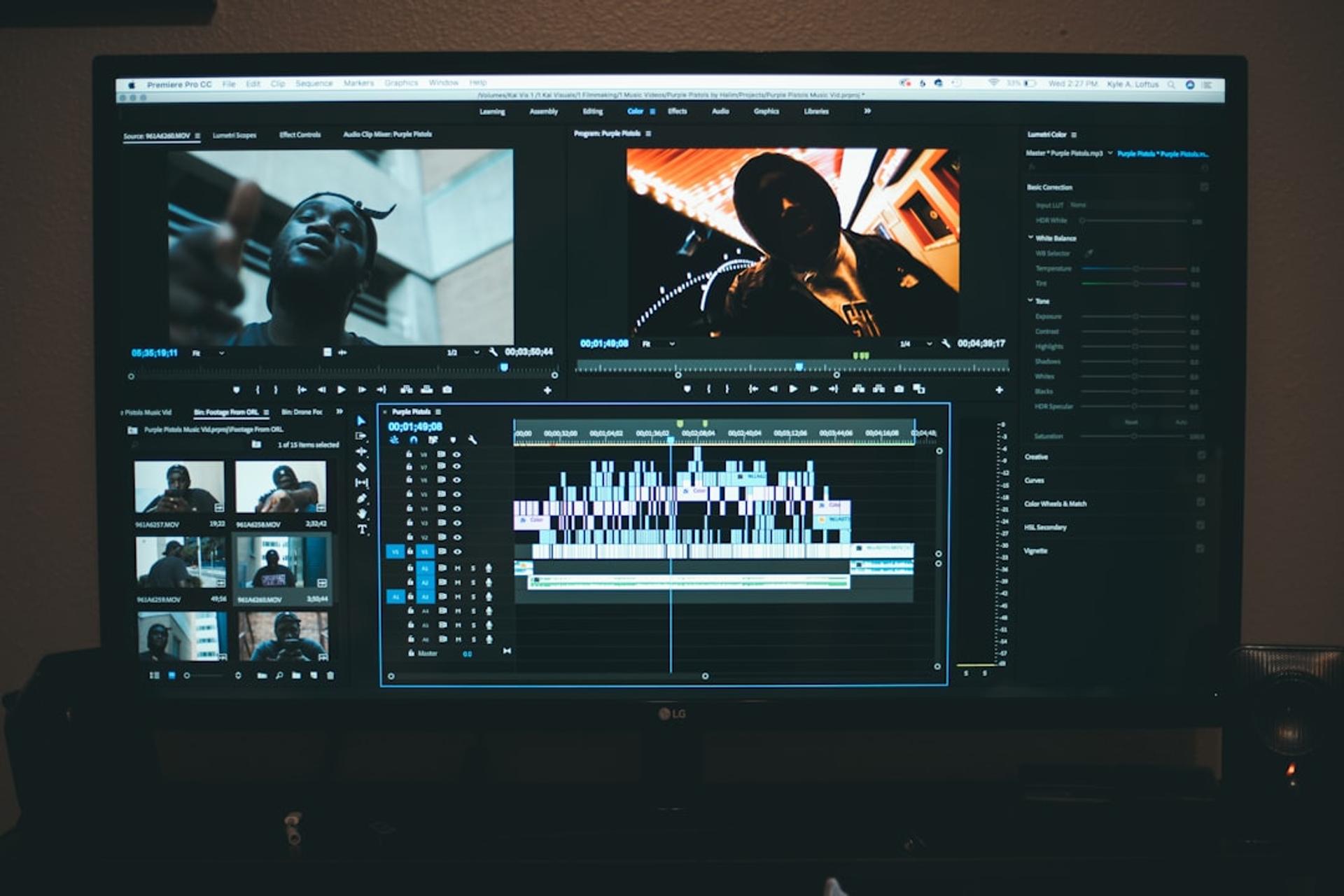
7. Adobe Premiere Pro - The Industry Standard
Premiere Pro is still the shared language of the video industry. Almost every studio, agency, and professional freelancer understands it, which makes collaboration and project handoff far smoother. Its integration with After Effects, Photoshop, and the rest of the Adobe ecosystem is a major advantage for teams already working inside those tools. It runs on a monthly subscription, and for a brand that produces video continuously, the cost is usually justified by the interoperability and the depth of control it delivers.
8. DaVinci Resolve - Professional Power, Free
DaVinci Resolve is the standout value story of 2026. Its free version is not a stripped-back trial - it is genuinely production-grade, with color grading that originated in high-end cinema and a built-in audio suite (Fairlight) that rivals dedicated software. The paid Studio version adds advanced effects and collaboration, as a one-time purchase rather than a subscription. For a foreign brand building an in-house Indonesian content team on a controlled budget, Resolve lets you reach professional output without a recurring per-seat license.
9. Final Cut Pro - Speed on Apple Hardware
For teams committed to the Mac ecosystem, Final Cut Pro remains exceptionally fast, taking full advantage of Apple silicon. Its magnetic timeline is a different editing philosophy from Premiere - polarizing, but highly efficient once learned. It is a one-time purchase, which over several years often costs less than a subscription. If your team is Mac-based and does not need cross-platform handoff, Final Cut is a strong, cost-predictable choice.
10. Filmora - The Most Beginner-Friendly Desktop Editor
Filmora is where non-specialists become productive fastest on desktop. It offers a clean interface, a large library of templates, effects, and stock assets, and enough depth for solid brand content - without Premiere's learning curve. For a marketing team that wants desktop-quality output without hiring a dedicated editor, Filmora is often the pragmatic answer. Check its export and licensing terms for commercial assets before scaling up.
11. CapCut for Desktop - The Bridge Between Mobile and Pro
CapCut's desktop version carries the mobile app's speed and templates onto a larger timeline. For teams that draft on their phones and finish on a computer, it keeps the workflow continuous. It is not a full replacement for Premiere or Resolve on complex projects, but for high-volume social content it is remarkably efficient. The same licensing caution applies: verify commercial-use terms before deploying assets in paid campaigns.
12. HitFilm - Editing Plus Visual Effects
HitFilm blends a video editor with a genuine visual-effects compositor in one application. For content that needs compositing, particle effects, or 3D elements without jumping to a separate VFX tool, it fills a useful middle ground. A free tier exists, with paid upgrades for advanced features. It suits smaller teams that occasionally need effects work but cannot justify a full After Effects seat.
What This Means for Foreign Brands Operating in Indonesia
Tooling is the easy part. The harder - and more valuable - decisions are structural. Three points consistently separate brands that get real ROI from Indonesian video from those that burn budget:
First, build for volume and consistency, not one-off showpieces. Indonesia's audience rewards a steady cadence of native-feeling short video far more than a single expensive hero film. That argues for a mobile-first, template-driven stack (CapCut, VN, InShot) for the daily feed, with a desktop pipeline (Resolve or Premiere) reserved for the flagship brand assets.
Second, treat licensing as a compliance issue, not a creative footnote. Music and stock-asset terms that pass without incident in a personal edit can expose a brand to takedowns or claims in a paid campaign. Standardize a cleared music library and a licensing checklist before any asset ships. This is precisely the kind of guardrail an overseas team, unfamiliar with local platform behavior, tends to miss.
Third, remember that software is a multiplier, not a substitute for direction. A great app in the hands of an editor without a brief produces polished noise. The editor's real value is in the concept, the pacing, and the decisions the audience never consciously notices. When you evaluate an Indonesia-based agency partner, look past their software list to their thinking - the portfolio, the strategic framing, the way they connect a video asset to a business outcome.
FAQ
Which video editing app should our Indonesian content team standardize on?
For most brands, run a two-tier stack: CapCut or VN on mobile for the high-volume social feed, and DaVinci Resolve or Adobe Premiere Pro on desktop for flagship brand assets. Standardizing on two tools - one fast, one deep - keeps handoff clean and training cost low, rather than fragmenting across five apps.
Is the free version of DaVinci Resolve really safe to use commercially?
Yes. Resolve's free version is licensed for commercial work and is genuinely production-grade, which is why it is the strongest value choice for a budget-controlled in-house team. The paid Studio version adds advanced effects and multi-user collaboration as a one-time purchase, not a subscription - relevant once your team scales.
Why do subscription prices for these apps differ from what we see in the US?
Pricing for CapCut Pro, Adobe, and others varies by region and platform. Always confirm the rate on an Indonesian account or through your local entity, not the US published price - the difference can be significant and affects your real per-seat cost when budgeting a local team.
How do we avoid music and copyright problems in paid campaigns?
Do not rely on the default in-app music libraries for commercial use. Standardize a cleared, licensed music source and require a licensing check before any asset ships. YouTube Create's copyright-safe library helps for organic YouTube content, but paid multi-platform campaigns need explicit commercial licenses.
Should we hire an in-house editor or work with an Indonesia-based agency?
It depends on volume and strategic weight. Steady daily social output often justifies an in-house mobile editor on a CapCut/VN stack. Flagship brand work - launches, cinematic grading, motion design - is usually better served by an agency that brings both the desktop pipeline and, more importantly, the creative direction. Evaluate partners on their thinking and portfolio, not just their software.
Is mobile editing good enough for serious brand content in 2026?
For the social feed, yes - modern phones edit 4K, and apps like VN offer desktop-level timeline control. For work requiring precise color grading, complex audio, long timelines, or heavy compositing, desktop remains irreplaceable. Match the platform to the project rather than forcing everything through one device.
Mulai Sekarang
Siap Kembangkan Brand Kamu Bareng Sagara Ruang?
Dari konten social media hingga motion branding - konsultasi awal gratis, tanpa komitmen apapun.
Yuk berkolaborasi
ADA PROYEK YANG
MAU DIKERJAIN?
Ceritakan proyekmu ke kami - konsultasi awal gratis, tanpa komitmen apapun.
Artikel Lainnya