10 Truly Free Video Editing Apps Without Watermarks (2026): A B2B Buyer's Guide
The best truly-free, no-watermark video editors for 2026 — and what they reveal about production systems when you hire an Indonesia-based agency.
10 Truly Free Video Editing Apps Without Watermarks (2026): A B2B Buyer's Guide
The best truly-free video editing apps without watermarks in 2026 are DaVinci Resolve, CapCut, and VN — all export clean footage with no logo baked in. This matters more than it looks: Indonesia has over 221 million internet users (APJII, 2024), and short-form video consumption keeps climbing from Jakarta out to tier-two cities like Surabaya, Bandung, and Medan. If you are a US, Singapore, or Australia-based brand producing content for the Indonesian market — or vetting an agency partner there — the tools your team touches quietly shape both your cost and your output quality.
When our team at Sagara prepared video assets for the Porsche Macan EV launch in Indonesia in 2024, one thing was clear from day one: output quality is not decided by how expensive the software is, but by the production system behind it. Materials had to ship to the brand's official channels within days, and every frame had to clear a global standard. Experienced editors produce premium output from the right tool — including free ones. The question was never "which software costs the most," but "which tool fits this brief, this platform, and this timeline."
That is the lens this guide uses. If you are weighing an Indonesia-based content or creative partner, the software line item on a proposal tells you almost nothing. What tells you something is whether the team has a system — versioning, brand-consistency checks, export standards, and a clear reason for every tool in the stack. We will come back to that B2B angle throughout.
Short answer: The best truly-free, no-watermark video editors for 2026 are DaVinci Resolve (desktop, professional-grade), CapCut and VN (mobile and desktop, fast for social), then Canva and Clipchamp (browser-based). All export video without a logo on their free tiers, as long as you avoid specific premium elements or templates. Choose by platform and project complexity — not by the word "free."
Key takeaways:
- DaVinci Resolve is the only professional-grade editor whose free version is genuinely watermark-free, with no duration limit and no ads — but it needs a capable machine.
- CapCut and VN export without watermarks on the normal editing path; a watermark only appears if you use certain premium templates (CapCut). Avoid those and the output stays clean.
- Avoid InShot and several popular mobile apps on their free tiers: they stamp an automatic watermark that only disappears with a subscription.
- Open-source editors (Shotcut, Kdenlive, OpenShot, Blender) are 100% watermark-free forever, because they have no "pay to remove the logo" business model.
- For brand content that must stay consistent across channels, the real limits of free tools show up in the production system, not the feature list — and that is exactly what separates creator content from agency content.
What "Truly Free, No Watermark" Actually Means
Many apps call themselves free, then stamp a logo in the corner of your video unless you upgrade. "Truly free, no watermark" means three things at once: the exported file is clean with no app logo, there is no duration or resolution cap engineered to force a subscription, and no core editing feature is locked behind a paywall to the point where basic editing becomes impossible.
This distinction matters for a business. Some "freemium" apps use the watermark as a marketing channel — you can edit all you want, but the moment you export, their logo travels across your feed. For a consumer creator that is a nuisance. For a brand, it is a compliance and perception problem: you cannot ship a customer-facing asset with a third-party app's logo on it. The open-source model is different by design: because there is no subscription to sell, there is no incentive to stamp anything.
The criteria we used to filter the list below:
- Final export is watermark-free with no subscription required.
- No hard duration cap that makes longer clips impossible.
- Export resolution of at least 1080p on the free tier.
- Core editing features (cutting, layers, text, audio) available for free.
- Legal and safe to download from an official source.
The B2B read: if a prospective agency's default toolkit fails criterion 1 or 4, ask why. It usually signals either an inexperienced team or one that has never had to ship at brand standard.
The 10 Best Free, No-Watermark Video Editors for 2026
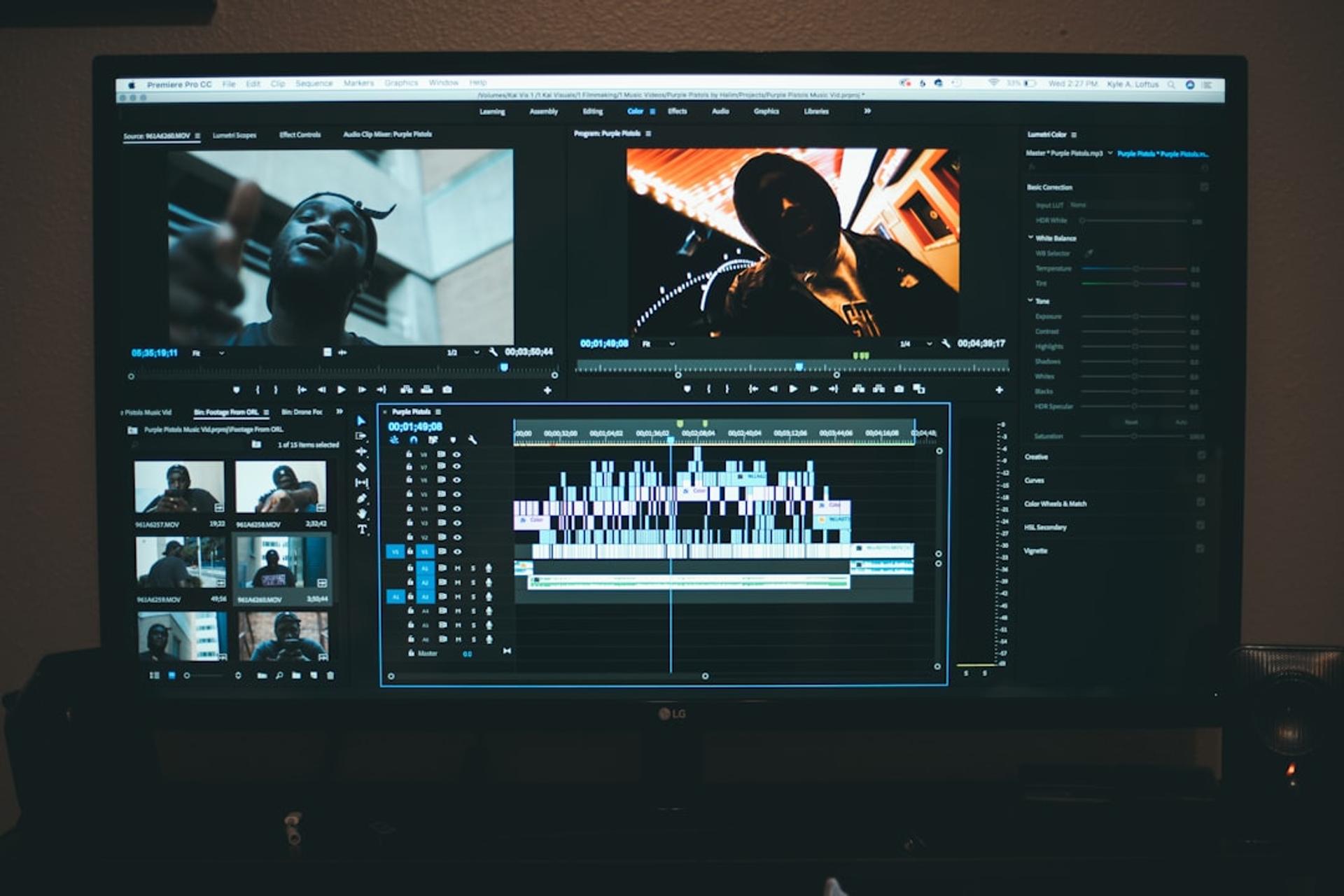
This list is organized by platform and need. There is no single winner — the best tool for a beginner mobile editor is different from the best for serious color grading. We ordered it from most capable to most lightweight, but the order is not an absolute ranking: plenty of teams are highly productive with tools further down the list because they fit the workflow. Read each tool's strengths and limits, then match them against the three filtering questions in the next section.
1. DaVinci Resolve — The Professional Standard, For Free
DaVinci Resolve's free version is an anomaly in the industry: software used to color-grade Hollywood films, given away at no cost, no watermark, no duration limit. Blackmagic Design (blackmagicdesign.com) sells hardware, so the software is the on-ramp into its ecosystem. The paid Studio version only adds AI features and advanced effects — the core editing and color grading are already complete in the free build.
The trade-off is honest: the learning curve is steep and it needs a capable machine (16GB of RAM or more is ideal). For a beginner who just wants to cut a 30-second reel, it is overkill. For anyone serious about visual quality, it is the best investment of time you can make. Node-based color grading and the Fairlight audio panel let it handle projects that would normally need two or three separate applications — all in one free app. For a foreign brand: if your Indonesian agency partner grades in Resolve, that is a green flag for output that holds up on a global brand channel.
2. CapCut — Fast for Social Content
CapCut dominates short-form creators for good reasons: it is fast, intuitive, and its standard editing path exports without a watermark. It is available on mobile and desktop, with auto-captioning (including reasonably accurate Indonesian), trendy transitions, and a music library.
One important note: a watermark only appears if you use certain community templates labeled premium. Edit manually from scratch and the output is clean. This is a common misconception — CapCut itself does not stamp a logo on a normal export. For a foreign brand: CapCut is excellent for volume social output tuned to Indonesian platform trends, but confirm your partner is not leaning on premium templates that would drag a watermark — or generic, template-looking content — into your feed.
3. VN Video Editor — A Serious Timeline in Your Pocket
VN offers a desktop-like experience in mobile form: multi-track timeline, keyframes, and precise speed control. It is fully watermark-free with no intrusive ads. It suits creators past the beginner stage who are not ready to move to a laptop.
The desktop version is also free and makes a good bridge before jumping to DaVinci Resolve. Its speed-curve and keyframe controls are clean enough to build smooth transitions and slow-motion effects that usually only live in high-end desktop editors.
4. Canva — Video Editing in the Browser
Most people know Canva for graphic design, but its video editor keeps getting more serious. It is browser-based, needs no installation, and its free-tier exports are watermark-free. Its strengths are brand templates, animated text, and real-time team collaboration.
The limit: elements labeled Pro (stock video, certain fonts) trigger an upgrade prompt. As long as you stick to free assets, the export stays clean. It is ideal for marketing teams that need fast content without editing expertise. For a foreign brand: Canva's brand-kit and collaboration features make it a practical shared workspace when your in-house team and an Indonesian agency need to co-produce simple assets across time zones.
5. Clipchamp — The Underrated Windows Native
Microsoft acquired Clipchamp and made it the built-in editor in Windows 11. Browser- and app-based, its free tier exports up to 1080p with no watermark. The interface is clean, there is auto-captioning, and it integrates directly with OneDrive.
For Windows users who do not want to install heavy software, this is a practical and legal starting point. Its text-to-speech and ready-made templates also help non-creative teams produce internal videos or presentations without learning to edit from scratch.
6. iMovie — The Apple Ecosystem Default
For Mac, iPhone, or iPad users, iMovie is already installed for free and never stamps a watermark. It is simple, stable, and enough for most personal or small-business content. Its limits are the number of tracks and advanced effects — once needs grow, many users move to Final Cut or DaVinci Resolve.
7. Shotcut — Cross-Platform Open Source
Shotcut is an open-source editor for Windows, Mac, and Linux. Because it has no subscription model, there is no watermark, ever. It supports many formats, has a decent filter set, and is lighter than DaVinci Resolve. The interface is a little rigid, but for editing at zero total cost, it is one of the most reliable options available.
8. Kdenlive — The Open-Source Workhorse
Kdenlive is a mature, community-maintained editor with multi-track editing, a broad effects library, and proxy editing that makes it usable even on modest hardware. Like all open-source tools, it is watermark-free forever. It is a strong choice for teams that want a full desktop editor without licensing costs and are comfortable with a slightly technical setup.
9. OpenShot — The Gentle Entry Point
OpenShot is the friendliest of the open-source editors: a clean, drag-and-drop interface, cross-platform support, and unlimited tracks. It is less powerful than Kdenlive or Resolve and can be less stable on very large projects, but for simple cuts, titles, and transitions at no cost, it lowers the barrier to entry considerably.
10. Blender — The Hidden Video Editor
Most people know Blender as 3D software, but it ships with a capable Video Sequence Editor. For teams already using Blender for motion graphics or 3D, it means editing and rendering in one open-source tool — no watermark, no cost. It is overkill as a standalone editor for most, but unbeatable when your pipeline already lives inside it.
Work With Sagara
Got a project in mind?
Free initial consultation, no commitment. Or see our services.
Apps to Avoid on Their Free Tier
Some of the most-downloaded mobile editors — InShot is the clearest example — stamp an automatic watermark on free exports that only disappears with a subscription. Others cap resolution below 1080p or lock core features. There is nothing wrong with paying for software; the problem is discovering the watermark after you have exported a client asset. For any brand-facing work, treat "free" as a claim to verify, not a feature.
How to Choose: Three Filtering Questions
Instead of memorizing the list, run any tool through three questions:
- What platform am I editing on? Mobile-first (CapCut, VN, iMovie on iOS), desktop (DaVinci Resolve, Kdenlive, Shotcut), or browser (Canva, Clipchamp).
- How complex is the project? A 30-second reel and a multi-cam brand film need different tools. Do not reach for Resolve to trim a clip; do not try to grade a campaign in a mobile app.
- Does the output have to meet a brand standard? This is the question that separates creator content from agency content — and it is where free tools reveal their real limit.
The B2B Angle: Why Tool Choice Signals Production Maturity
Here is what a foreign marketing director should take from all of this. For content that must stay consistent across channels — the same brand color, the same title safe-zone, the same export spec on every platform — the constraint of a free tool is felt in the production system, not in the feature list.
A solo creator can pick any app and be fine. An agency shipping for a global brand needs versioning, brand-consistency checks, standardized export presets, an asset library, and a review pipeline that catches a wrong logo or an off-brand font before it goes live. Free software can absolutely sit inside that system — we have shipped premium work from it. What cannot be free is the system itself: the process, the standards, and the experienced hands running them.
So when you evaluate an Indonesia-based partner, do not ask what software they use. Ask how they keep 40 assets consistent across five channels, how they version, and how they catch errors before publish. That answer — not the tool — is what you are paying for. You can see how we frame that production discipline in our work at Sagara.
Frequently Asked Questions
1. Are these free video editors safe to use for commercial, brand-facing content?
Yes — DaVinci Resolve, CapCut (standard path), VN, Canva, Clipchamp, and the open-source editors all allow commercial use and export without a watermark on their free tiers. The caveats are asset licensing (stock clips, music, fonts) and premium templates, which can carry separate terms. Always confirm the license on any third-party asset before using it in a campaign.
2. If the software is free, why would we hire an Indonesia-based agency at all?
Because the tool is the cheapest part of the equation. What you are buying is the production system — brand consistency, versioning, export standards, local platform fluency, and experienced editors who can hit a global standard on a tight timeline. An Indonesia-based partner also brings cost efficiency and native understanding of a 221-million-user market that foreign teams rarely have in-house.
3. Which tool should a lean in-house team use if we produce content ourselves?
For social-first output, CapCut or VN on mobile plus Canva in the browser cover most needs with no watermark and a shallow learning curve. If you need broadcast-grade quality or color control, invest the time in DaVinci Resolve on a capable machine. Match the tool to your platform and complexity, not to a "pro" label.
4. Will using free software hurt our brand's perceived quality?
Not if the production system is sound. Quality comes from the editor's judgment, the brief, and the consistency checks — not from the license fee. The one real risk is an accidental watermark or an off-brand template slipping through, which a proper review pipeline prevents.
5. How do we vet whether an agency partner has a real production system?
Ask process questions, not tool questions: How do you keep dozens of assets consistent across channels? How do you version and back up project files? What is your export spec per platform, and who signs off before publish? Ask to see a case study where they shipped at volume under a deadline. Vague answers here are the clearest red flag.
6. Do we need different tools for the Indonesian market specifically?
The editors are the same, but the platform habits are not. CapCut's dominance among Indonesian short-form creators, local caption accuracy, and trend cycles on TikTok and Instagram Reels all reward a partner who lives in that market daily. The software is global; the fluency is local.
The Bottom Line
Truly free, no-watermark video editors exist — and in 2026, DaVinci Resolve, CapCut, and VN lead the field, with Canva and Clipchamp close behind for browser-based work. Pick by platform and project complexity, and treat the word "free" as a claim to verify.
But if you are a foreign brand entering or operating in Indonesia, the more useful lesson is this: the tool is never the differentiator. The production system behind it is. Free software in experienced hands, inside a disciplined pipeline, will outperform expensive software with no system every time. That is the real question to ask any partner — and the real reason the best agency work looks nothing like the best creator work, even when they use the same free app.
Work With Us
Ready to Grow Your Brand with Sagara Ruang?
From social media content to motion branding - free initial consultation, no commitment required.
Let's work together
GOT A PROJECT
IN MIND?
Tell us about your project - free initial consultation, no commitment required.
More Articles